
Why Do I Lock the Door in a New Faculty Health Insurance Presentation? And Why You Should Too!
Published: September 2023 · Updated: October 2026

KEY TAKEAWAY
- Give faculty one practical exit ticket: register and log in to their insurer’s app or member website.
- Use orientation time to resolve access problems and show staff where to find benefits, claims guidance and support.
- For 2026, check current registration steps, respect privacy and follow up on anyone whose access is still unresolved.
When I first wrote this article, I had been running the health insurance orientation sessions for faculty at international schools in many different countries for 17 years.
And whilst we try to make our sessions informative and interactive, I do recognize that – as I always joke – your staff will forget half the information I share with them.
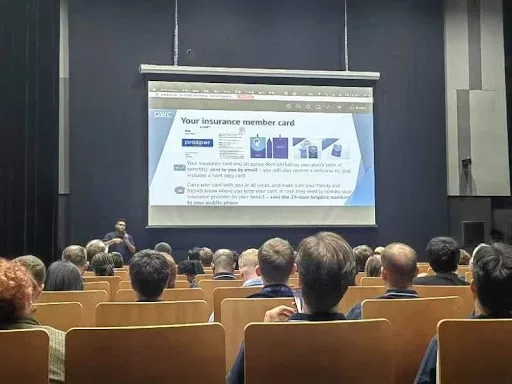
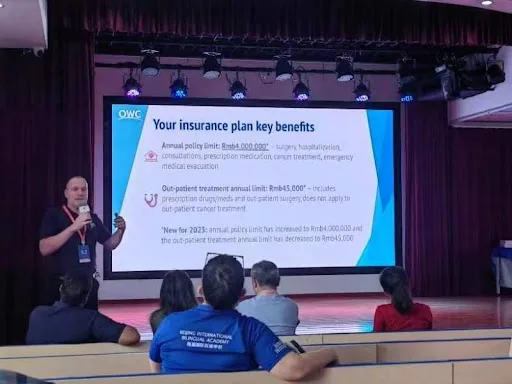
So instead of expecting everyone to memorize everything I share, I do one thing: I tell the faculty I have locked the doors… (cue nervous laughs)
Of course, I haven’t really locked the doors, but then I go on to let faculty know we have one clear goal for the session, and that they won’t get an exit ticket until it’s done.
A little tough love really helps your health insurance program run smoothly…
So what is it?
The 1 thing: download the insurer’s app and log in
I politely make it clear that no one leaves the room until they show me on their phone or laptop that they registered and logged in.
Why?
When all new faculty members register for your insurer’s app at the beginning of their employment, they have the key health insurance information in their hands and are better placed to answer everyday questions without coming to HR.
- Faculty feel empowered.
- Faculty feel prepared for family medical matters.
- Faculty satisfaction increases, and HR and Leadership love it.
Whilst it seems like tough love at first, it is received VERY well once everyone is registered – it’s that simple.
Book a Benefits Communication Review
Make app registration and access to plan information part of your next faculty orientation. We can review how you explain the essentials and where new staff are getting stuck.
What can faculty use the app for?
In 2026, an insurer’s app or member website is an important starting point for managing health insurance. Available features vary by insurer and plan.
Once your faculty are registered on the member website or app, they can usually access important information about their plan at their fingertips.
For example, where these features are available on your plan:
- Need to submit a claim? Use the app.
- Unsure which hospitals and clinics are in the direct billing network? Check the app or member portal, and confirm the arrangements for your plan with the insurer.
- Can’t remember if you are covered for a specific type of treatment? Download the table of benefits on the app. Check the policy terms and any pre-authorization requirements, and ask the insurer if you are unsure.
For a current example, Allianz Care’s MyHealth guidance explains how members can submit claims and find policy documents. Use your own insurer’s instructions during orientation; menus and available services will differ.
Why an exit ticket to leave the faculty orientation?
The hardest part about getting faculty using the app is registering for the first time, which can sometimes be cumbersome. New staff will often try once, hit a road bump, and give up.
We always leave time at the end of the orientation sessions we hold to go around the room and help faculty get registered on the app.
If all new faculty members register for your insurer’s app at the beginning of their employment, they are better prepared to find answers themselves throughout the year.
A practical check for your 2026 orientation
Check the current app link and registration instructions before the session. Ask faculty to bring their membership details and a device, allow time for verification emails or codes, and show them where to find their member card, benefits and insurer contact details. If the app is unavailable, use the insurer’s member website or agree a specific follow-up with HR and the insurer. Keep the exit ticket idea light-hearted: nobody is physically prevented from leaving, and nobody needs to share a password or private medical information.
Get Support When Benefit Questions Hit HR
Repeated questions about logins, claims or where to find a benefit can point to gaps in onboarding. Talk to us about making the insurer’s support route and your school’s escalation process clearer.
Common objections and how I deal with them
- “I can’t find the app”. I share the links / QR code to the app store, and I stand over their shoulders and walk them through where to find the app.
- “I can’t log on”. I help them work through the login process, while they enter their own password and any verification code privately.
- “I’m too busy now, I’ll do it later”. No, sorry, let’s get this done now – it won’t take long.
For years I asked faculty to complete this action in the orientation sessions, and would get around 50% compliance.
After more than 15 years of doing this, and seeing the long-term benefits of that effort, I began working with leadership and HR towards one practical goal: every new faculty member should have working access, with follow-up for anyone who needs more help.
In my original account, I reported that my team and I had achieved 100% registration across the preceding three years of sessions. That is a historical account of our experience, not a newly measured result or a promise that every future session will achieve the same outcome. The practical goal remains: help every new faculty member get access working, rather than assume they will sort it out later. I suggest you implement the same approach at your school.
After implementing these tips, you should be able to simplify faculty medical insurance. Don’t hesitate to contact us for further assistance with your school’s insurance.
Frequently asked questions (FAQs)
Do you really lock the doors? No. It is a joke used to introduce one practical goal: help every new faculty member register and log in before the session finishes.
What should faculty be able to do before orientation ends? They should be able to access the insurer’s app or member website and find their member details, benefit information and insurer contact details.
What if someone cannot register or log in? Help them follow the insurer’s current instructions, check verification messages and use the member website where appropriate. Record unresolved access issues and arrange follow-up with HR and the insurer.
Does finding a treatment in the app guarantee cover? No. Cover depends on the policy terms, limits, exclusions and any pre-authorization requirements. Ask the insurer to confirm if anything is unclear.
Book a Faculty Benefits Strategy Call
Help new faculty start the school year knowing how to use their health insurance. Talk to our team about orientation, practical benefits communication and ongoing support for your school.
One World Cover is an international health insurance broker and employee-benefits consultant, not an insurer.



About the author
